If you no longer believe an identification you added is correct, you can withdraw your identification. Withdrawing an identification will prevent it from affecting the Community Taxon but still leave a record of the the identification on the observation.
Note that adding a new identification to an observation will automatically withdraw your previous active identification from that observation.
TABLE OF CONTENTS
How to withdraw an identification
iNaturalist Website
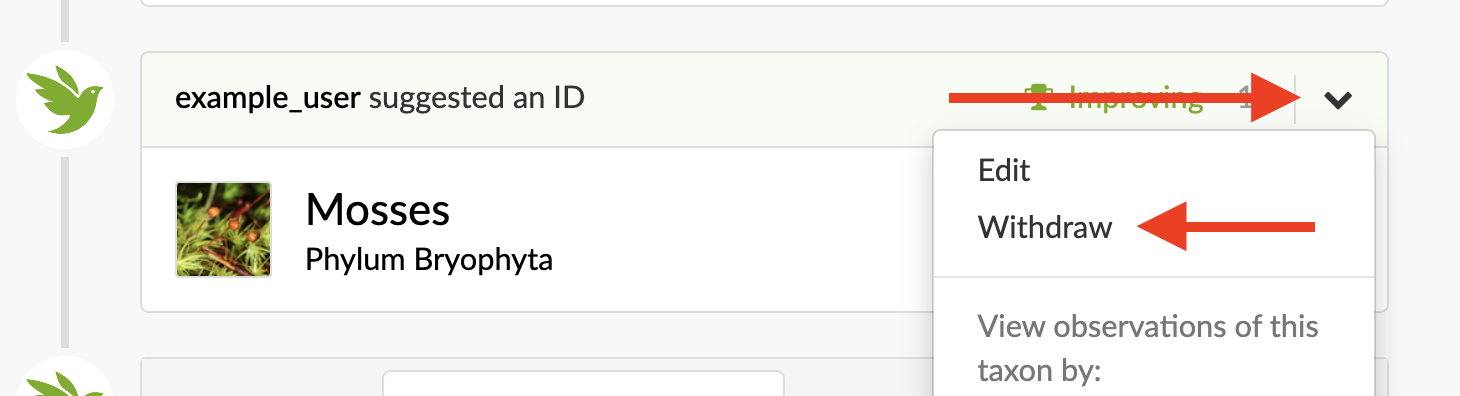
- Go to the observation in question and find your identification.
- Click on the chevron (down arrow) on the right-hand side of your identification and select "Withdraw".
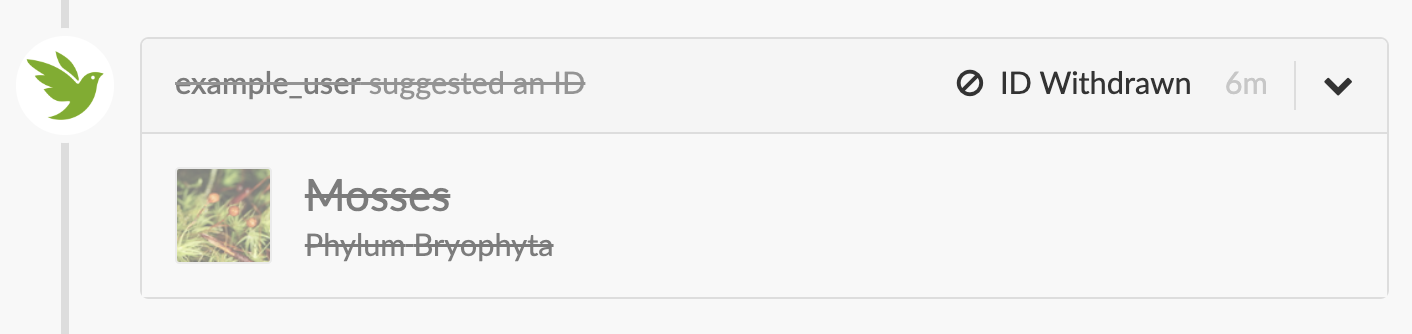
- Your identification will be withdrawn from the Community Taxon and will now show as struckthrough.
iNaturalist App for iPhones
- Go to the observation in question and find your identification.
- Tap on the three dots icon on the right-hand side of your identification and select "Withdraw".
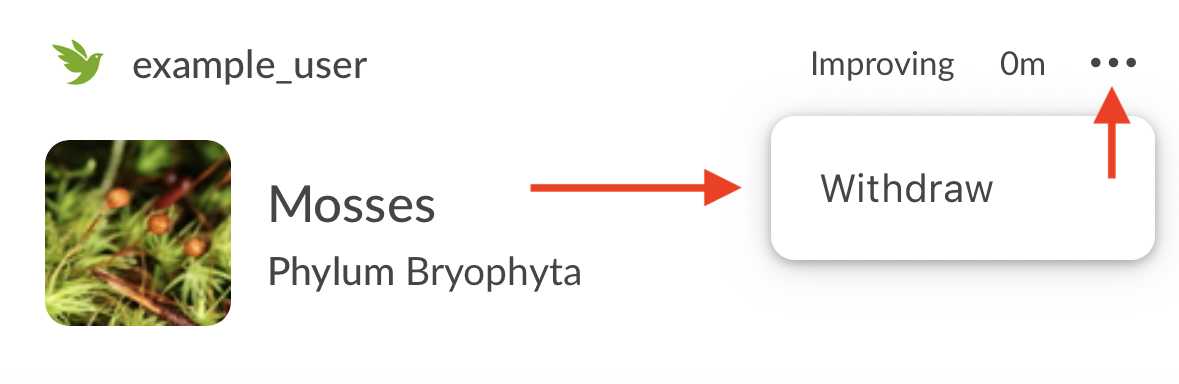
- Confirm that you want to withdraw your identification.
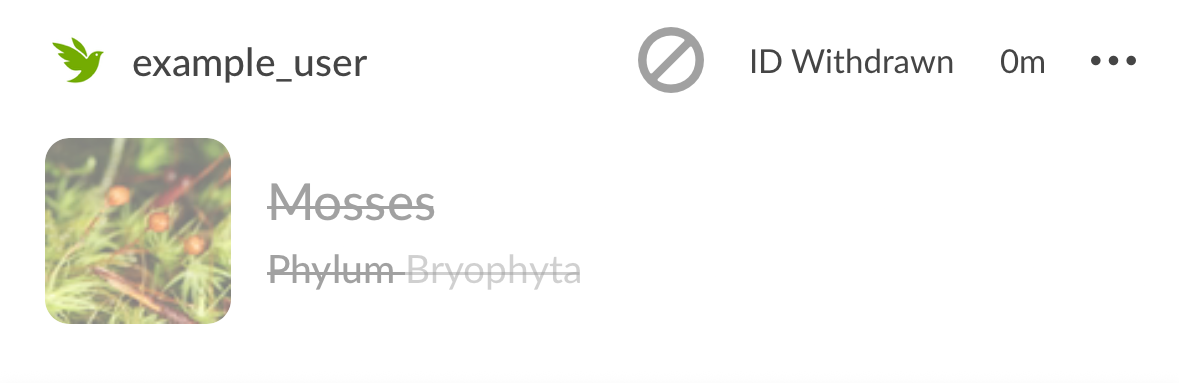
- Your identification will be withdrawn from the Community Taxon and will now show as struckthrough.
iNaturalist app for Android
- Go to the observation in question and find your identification.
- Tap on the three dots icon on the right-hand side of your identification and select "Withdraw".
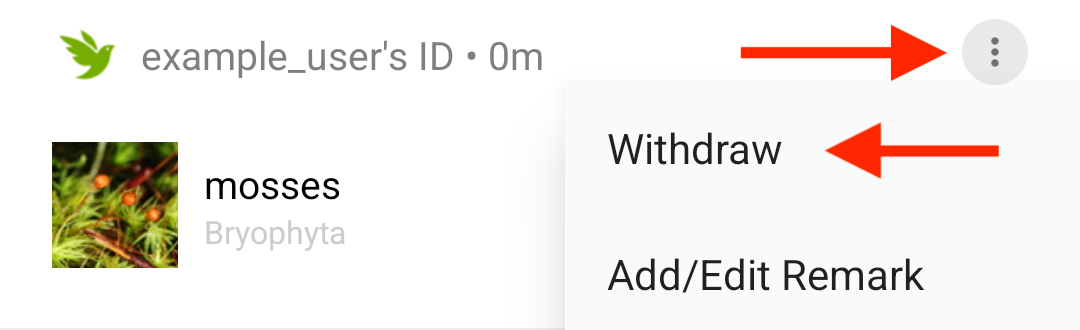
- Confirm that you want to withdraw your identification.
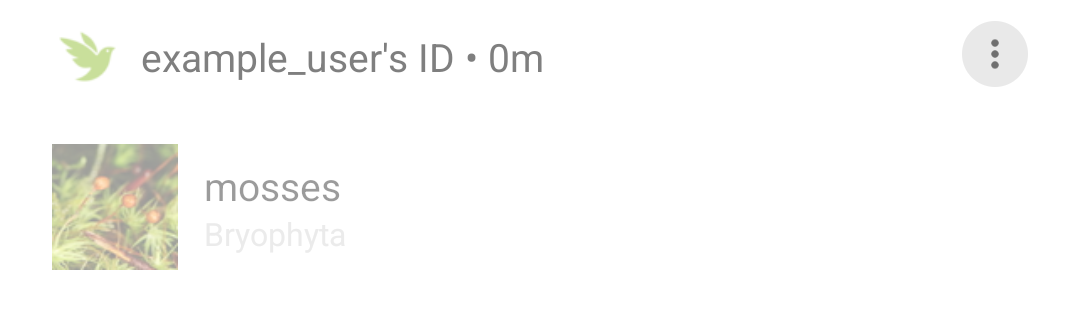
- Your identification will be withdrawn from the Community Taxon and will now show as grayed out.
Was this article helpful?
That’s Great!
Thank you for your feedback
Sorry! We couldn't be helpful
Thank you for your feedback
Feedback sent
We appreciate your effort and will try to fix the article